

24/7 HUMAN WORDPRESS WATCH · SAN DIEGO, CA · SINCE 1998
HackGuard.com Managed WordPress Security with Heart

WordPress security watched by a real human for pennies a day.

Security plugins only flag attacks after the damage is done. For $14.95/month ($49.85 for 10 sites), Jim Walker, The Hack Repair Guy™, hardens your WordPress installation by hand, tests your updates every week, keeps your backups safely offsite, and promises a free HackRepair.com cleanup if your site is ever hacked on our watch. Security plugins only flag attacks after the damage is done. For $14.95/month, Jim Walker, The Hack Repair Guy™, hardens your site by hand, tests every update, and promises a free HackRepair.com cleanup if your site is ever hacked on our watch.

Free cleanup if ever hacked under our care
30-day full refund guarantee with no contracts
Works on any host (GoDaddy, SiteGround, Bluehost, WP Engine)
✓ Free malware cleanup insurance included
WEEKLY HUMAN INSPECTION LOG
Root and subfolder malware audit CLEAN · VERIFIED
Core and plugin updates hand-tested 0 CONFLICTS
Offsite cloud backups (DB + files) ENCRYPTED
.htaccess firewall and XML-RPC rules LOCKED DOWN
Jim Walker, The Hack Repair Guy, smiling: How may I help you?

Hi, I’m Jim Walker, The Hack Repair Guy™

Securing and rescuing WordPress websites from San Diego since 1998. When you call, you talk directly to Jim.

Direct line: (619) 479-6637
Since 1998
25+ years rescuing and hardening sites
4.9 / 5
132 verified client reviews on Trustpilot
50¢ / day
$14.95/mo single site · $4.99/site Ten-Pack
Free
HackRepair.com cleanup if your site is ever hacked on our watch
60 Days
Independent offsite cloud backup retention
WHAT AUTOMATED SCANNERS MISS

“But my plugin said I was clean.” Why a clean scan isn’t the whole story.

I hear that a lot from people whose sites got hacked. A scanner is good at spotting bad files it already knows about. It doesn’t notice an old plugin nobody updated, an admin account that shouldn’t be there, or backups sitting on the same server as the site.

A green checkmark feels good, but it isn’t the whole picture.

EXAMPLE · STAGE 1 OF 4 · AUTOMATED PLUGIN SURFACE
SCANNER OUTPUT: "0 Known Malware Signatures Detected (Surface Clean)"
wp-content/plugins/ IGNORED

Abandoned plugin vulnerability

An abandoned plugin that has gone over a year without an update. Scanner reports "No known signature" while the exploit stays open.

wp_options (autoload) UNCHECKED

Database cron and option bloat

Thousands of leftover database entries and stuck wp-cron hooks slow down page loads and spike server CPU.

wp-config.php & .htaccess DEFAULT

Permissive file and XML-RPC rules

xmlrpc.php pingbacks and default file permissions left open to automated brute-force attacks.

/public_html/backups/ AT RISK

Same-server backup folder

Backups stored inside the same hosting account where an attacker or disk failure can wipe them.

THE BUMM METHODOLOGY · BACKUP, UPDATE, MAINTAIN, MONITOR

Four jobs every WordPress site needs, handled for you each week

Skipping backups, updates, database maintenance, or monitoring eventually leads to a hacked or broken site. Our BUMM Security Planning Guide breaks down all four habits, and HackGuard handles each one for you every week.

What Every Plan Includes

Every HackGuard plan covers the same four jobs: 24/7 monitoring, weekly hand-tested updates, independent offsite backups, and first-week manual hardening, with Jim a phone call away. Prices and the full list are in the pricing section below.

24/7 WordPress Security Monitoring
Pillar 1 · Monitor & Harden

24/7 security, uptime, and file-change monitoring

We harden your WordPress root and core directories, write custom .htaccess firewall rules, watch for unauthorized file changes, and monitor your uptime and Google search status around the clock.

  • Root and subfolder hardening
  • Brute-force and XML-RPC rules
  • Google blacklist monitoring
  • File-change alerts
Hand-Tested WordPress Updates
Pillar 2 · Update by Hand

Weekly hand-tested core and plugin updates

Unattended auto-updates can lock sites in maintenance mode or pull in hijacked plugin releases. We review each update, run it by hand, and check your live pages in a browser afterward.

  • Hand-tested every week
  • Unused plugin removal
  • PHP 8.x compatibility checks
  • Weekly status reports
Offsite cloud backups
Pillar 3 · Independent Offsite Backups

Encrypted offsite cloud backups (files and database)

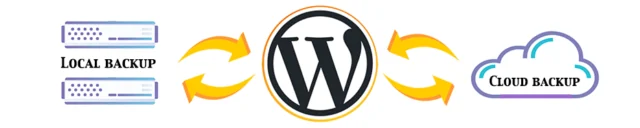
Relying only on your web host's backups can cost $50 to $150 in restore fees or leave you with nothing after a server crash. We keep 60 days of encrypted database and full-site backups in an independent cloud account and help you restore them for free.

  • Independent cloud account
  • Stored off your host server
  • Database and full files
  • Free restore assistance
Direct Support from Jim Walker
Pillar 4 · Maintain & Support

Database tuning, speed extras, and direct access to Jim

We clean bloated database tables and stuck wp-cron jobs, and we set up Cloudflare CDN, image optimization, two-factor authentication, and SEO security reviews at no extra charge when you ask. Have a question? Call Jim at (619) 479-6637.

  • Direct San Diego phone support
  • Free Cloudflare CDN setup
  • Database and cron cleanup
  • Unlimited WordPress Q&A

Wondering what protection will cost for your sites? Slide to your site count and I’ll show you the monthly rate and a first-week plan.

Try the rate calculator
SIDE-BY-SIDE COMPARISON · HUMAN OVERSIGHT VS. AUTOMATION

How HackGuard compares with security plugins and shared hosting

Security plugins and web hosts handle server basics, while HackGuard takes personal responsibility for updating, backing up, and guaranteeing your WordPress installation.

Protection & Maintenance HackGuard.com ($14.95/mo · $4.99 Ten-Pack) Security Plugins Only (Wordfence / Sucuri Plugin) Shared Web Host Default
Who watches your site? Jim Walker (25+ yr US cybersecurity specialist) + 24/7 monitoring Automated signature rules only (you must read and act on alerts) Automated server daemon; no WordPress-level oversight
Weekly plugin and core updates Hand-tested weekly in a browser; no .maintenance lockouts Unattended auto-updates that can break layouts or PHP compatibility Forced core updates or left unpatched
If hacked under active care Free malware cleanup by HackRepair.com ($279 value) $299 to $499+ emergency cleanup fee or paid plan upgrade Account suspended (503) until you hire a specialist
Backup storage and retention 60-day independent offsite cloud backups + free restore help Usually excluded or stored inside your own /wp-content/ folder Same-server snapshots (7 to 14 days); $50 to $150 restore fees
First-week hardening 9-point manual audit (.htaccess, wp-config, cron, unused plugin removal) Default plugin setup; leaves unused files and bloated cron rows None
Direct human support Call Jim directly in San Diego: (619) 479-6637 Forum threads or ticket queues Chat scripts that blame third-party WordPress plugins
VERIFIED CLIENT STORIES · VIDEO & TRUSTPILOT REVIEWS

From WordPress owners and agencies Jim protects

Watch four client interviews below, or read 14+ written case studies in our Testimonials Archive.

★ Read 132 Reviews on Trustpilot (4.9/5) ↗

Client story: Rescued after a hack and kept clean

"Jim got on it immediately, cleaned up my site, and now takes care of all my updates and security maintenance every month."

Open on YouTube ↗

Client story: Straight talk for non-technical site owners

"Having that person-to-person explanation on the phone really helped. Jim has my site on lock down with his monthly HackGuard service."

Open on YouTube ↗

Client story: Caught what other security companies missed

"HackGuard found an issue that a couple of other security companies had missed, cleared the blacklists, and keeps us protected."

Open on YouTube ↗

Client story: Why web designers and agencies rely on Jim Walker

"I don't have time to keep up with every WordPress vulnerability each month, so I rely on Jim. Fast, thorough, and I trust him."

Open on YouTube ↗
SIMPLE, HONEST PRICING · NO CONTRACTS · 30-DAY FULL REFUND

For about the cost of a cup of coffee a week

Both plans include the full service: the same hardening, updates, backups, and direct support from Jim.

SINGLE WORDPRESS INSTALLATION

Monthly Managed Service

Everything listed below, for 1 WordPress website.

$14.95 / month (~50¢/day)

Annual option: $164.45/yr (1 month free)

  • First-week 9-point manual security hardening and root cleanup
  • 24/7 malware, uptime, file-change, and Google blacklist monitoring
  • Weekly hand-tested WordPress core and plugin updates
  • 60-day offsite encrypted cloud backups (files and database)
  • Free HackRepair.com cleanup if ever hacked under our care
  • Unlimited phone, text, and email support directly with Jim Walker

1. Security and monitoring

  • 24/7 malware and security scanning
  • 24/7 uptime and Google search watch
  • Suspicious file-change alerts
  • Custom .htaccess firewall setup

2. Updates and backups

  • Weekly core and plugin updates
  • Hand-tested in a live browser
  • Cloud file and database backups
  • Weekly maintenance reports

3. Direct human support

  • Phone, text, and email with Jim
  • Unlimited support requests
  • WordPress Q&A included
  • No overseas ticket centers
  • 30-day full refund guarantee

4. Free upon request

  • Cloudflare CDN and DNS setup
  • Database and cron cleanup
  • Image speed optimization
  • Two-factor authentication (2FA)
  • SEO security review and restore help
WORDPRESS SECURITY & MAINTENANCE KNOWLEDGE BASE

26 WordPress guides written by Jim Walker

Step-by-step instructions from 25+ years of fixing broken updates, clearing malware, and tuning slow WordPress databases.

Browse All 26 Articles
FREQUENTLY ASKED QUESTIONS

Straight answers from Jim Walker

Why can't a security plugin like Wordfence or Sucuri do this?
Security plugins scan for known malware signatures after an infection is already on the server. They cannot tell whether a plugin update will break your checkout page or whether a deactivated plugin still has an exposed vulnerability. With HackGuard, Jim Walker inspects your WordPress core, plugins, database tables, .htaccess rules, and error logs by hand each week.
What happens if my website still gets hacked while on HackGuard?
If your site is ever compromised while on an active HackGuard plan, our sister service HackRepair.com cleans and restores it free of charge.
Will I talk to Jim Walker or a call center?
You speak directly with Jim Walker, The Hack Repair Guy, in San Diego, California at (619) 479-6637. We do not use overseas ticket queues or chat bots.
Can I cancel anytime, and is there a money-back guarantee?
Yes. There are no contracts, and you can cancel within your first 30 days for a full refund.
What does Jim do during my first week on HackGuard?
During Week 1, we run a 9-point manual hardening checklist: (1) root-to-subfolder file inspection, (2) database repair and table optimization, (3) removal of unused themes and risky plugins, (4) server error_log review, (5) custom .htaccess firewall rules, (6) administrator account audit, (7) hand-tested core and plugin updates, (8) 60-day offsite cloud backup setup, and (9) 24/7 uptime and reputation monitoring.
Do I have to switch my web hosting company to use HackGuard?
No. HackGuard works with your current host, including GoDaddy, Bluehost, SiteGround, WP Engine, HostGator, InMotion, and any standard Linux, cPanel, or managed WordPress account.
How does the Ten-Pack ($49.85/mo) work for web designers and agencies?
Web designers, developers, and agencies managing client sites can use our Ten-Pack: one flat $49.85/mo covers up to 10 WordPress installations ($4.99 per site, or about 17¢ per site per day when all 10 slots are used). Need more than 10 sites? Each additional Ten-Pack covers another 10.
What if an update breaks a page or locks my site in Maintenance Mode?
We run updates by hand and check your live pages right after. If a plugin update causes a conflict or leaves a stuck .maintenance file, we clear it and roll back or fix the issue on the spot.
Jim Walker speaking at WordCamp: Friends don\'t let friends get hacked FRIENDS DON'T LET FRIENDS GET HACKED™

Have questions about your WordPress site? Call me anytime.

Whether you want to protect one blog for 50 cents a day, lock down 10 client websites, or get advice on a stubborn WordPress error, call me in San Diego at (619) 479-6637.

Call: (619) 479-6637 Enroll Online · $14.95/mo Contact Jim Directly
Client Video Story