
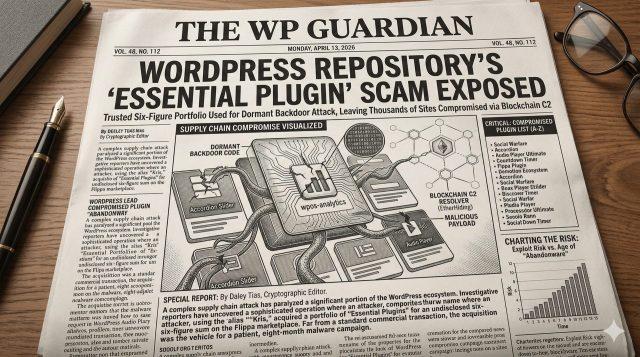
Many site owners and agencies treat the official WordPress.org plugin directory like a completely safe zone. In April 2026, a supply-chain attack came to light that proved why blind trust and unattended auto-updates are dangerous: an attacker had bought a portfolio of more than 30 legitimate WordPress plugins and used routine updates to plant a backdoor on thousands of websites.
How the Flippa plugin hijack worked
Instead of writing a new exploit from scratch, a buyer using the alias "Kris" (with a background in SEO and online gambling marketing) purchased the "Essential Plugin" portfolio on Flippa for a six-figure sum. Once the buyer controlled the official WordPress.org developer accounts, they pushed updates that planted a dormant backdoor across the portfolio.
- Phase 1 (The acquisition): The buyer purchased 30+ established plugins with tens of thousands of active installations through a standard Flippa sale.
- Phase 2 (The dormant backdoor): Malicious code was added inside an update eight months before activation, checking in with a command-and-control server in the background.
- Phase 3 (Blockchain command resolution): The malware used Ethereum smart contracts (a technique known as EtherHiding) to fetch spam links and redirect rules, making the payload hard to block with standard domain blacklists.
Compromised plugins removed from WordPress.org
The WordPress.org Plugins Team closed the entire Essential Plugin author portfolio (31 plugins) on April 7, 2026, once the backdoor was confirmed. Check your sites right away for any of these plugins:
- Accordion and Accordion Slider (Removed)
- Album and Image Gallery Plus Lightbox (Removed)
- Audio Player with Playlist Ultimate (Removed)
- Blog Designer for Post and Widget (Removed)
- Countdown Timer Ultimate (Removed)
- Featured Post Creative (Removed)
- Hero Banner Ultimate (Removed)
- Timeline and History Slider (Removed)
- Woo Product Slider and Carousel (Removed)
- WP Blog and Widgets (Removed)
- WP Team Showcase and Slider (Removed)
Every plugin under the Essential Plugin author account was permanently closed. If any of these are installed on your server, even if deactivated, their files are still reachable. For the full timeline, see The Next Web's report.
How the backdoor stayed hidden for 8 months
The wpos-analytics module inside these plugins worked as a normal analytics helper for years. Then version 2.6.7, released in August 2025, added 191 lines of backdoor code using PHP deserialization. Because the attacker waited eight months before flipping the switch to inject SEO spam and redirects, sites with automatic updates enabled pulled the poisoned version into their daily backups long before anyone noticed.
4 steps to check and clean your WordPress sites
- Audit your installed plugins: Check every WordPress site you run for any plugin from the Essential Plugin portfolio. Delete the plugin folders completely via FTP or WP-CLI; deactivating them in the dashboard is not enough.
- Remove abandoned plugins: Delete any plugin that has not been maintained in over 24 months and replace it with an actively supported alternative. Our list of the top 20 WordPress plugins to avoid is a good place to start.
- Watch for sudden ownership changes: When a plugin changes authors or adds unfamiliar contributor accounts, review the code diff before updating.
- Run a full file and database check: Inspect
wp-config.php,.htaccess, must-use plugins, and Google Search Console for injected spam URLs or rogue admin accounts. If you are on a HackGuard plan, we already check for this during our weekly manual inspections.
Security disclosures and references
Details in this breakdown draw from April 2026 forensic disclosures by Anchor Host, mySites.guru, Patchstack, Wordfence Threat Intelligence, Sucuri, Google Threat Intelligence Group (EtherHiding C2 analysis), and the WordPress.org Plugins Team closure logs.
Frequently asked questions
What is the fastest way to fix or prevent this issue on my WordPress site?
Can HackGuard.com handle security & malware for my WordPress site?